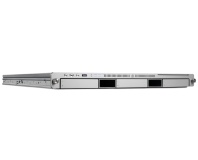
These images, provided by ZDNet.de, show the tool overclocking both old 2.66GHz and new 2.8GHz Mac Pros.

These images, provided by ZDNet.de, show the tool overclocking both old 2.66GHz and new 2.8GHz Mac Pros.

If you're a Mac user wanting to get a bit of overclocking action going on your Mac Pro but unsure of how to do it, a new utility released this week offers you the chance of a free speed boost.

According to ExtremeTech the utility, developed by ZDNet Germany, offers Mac users the chance to overclock the processor inside their Intel-based Mac Pro series systems without any hardware modification. Called ZDNet Clock, the utility is similar to overclocking software that has been available for Windows boxes for many years – but marks the first such point-'n-click tool for MacOS users.

Requiring either a Mac Pro or Apple Xserve running MacOS X Leopard, the tool allows for dynamic overclocking of the processor within the system – without increasing the processor or memory voltages. The results are extremely convincing: the team at ZDNet got the cheapest Mac Pro currently available – equipped with a 2.8GHz processor – to outperform the most expensive 3.2GHz model. The price difference between the two? Over £1,100.

The newly-overclocked Mac Pro, now running at 3.4GHz instead of the default 2.8GHz, was subjected to a prime-numbers based torture test for a full day – with no errors reported. While still likely to invalidate your warranty should something go wrong, that's a fairly good indicator that – like Windows-based overclocking tools – sensible use is unlikely to cause any serious problems.

Perhaps the most interesting feature of the tool is that the overclock, which must be done from within MacOS as the Mac Pro series doesn't feature a user-accessible BIOS like standard Intel-based systems, survives not only a reboot back into MacOS but also a boot into a second operating system via the BootCamp functionality.

While use of the utility is entirely at the readers' own risk, if you're looking to get a little more bang for your buck it's certainly worth a go.

Any Mac users fancy giving the tool a try and reporting benchmark results? Share your experiences over in the forums.

Quote RTT 1st July 2008, 09:42
Quote:
Requiring either a Mac Pro or Apple Xserve running MacOS X Leopard

Bollocks, i'm on Tiger. 8 cores at 3.2 would be nice :(
Quote sotu1 1st July 2008, 09:44
make a version for the imac and the mac book range and we're on to a winner. the pro versions are reserved for the filthy rich, the fanboy and the professional (note that only one of those three can justify the cost of the mac pro)
Quote will. 1st July 2008, 09:57
Quote:
Originally Posted by article
Now Maccers can toast their systems!
Or make toast on their macs :p
Quote Passarinhuu 1st July 2008, 10:16
Quote:
The results are extremely convincing: the team at ZDNet got the cheapest Mac Pro currently available – equipped with a 2.8GHz processor – to outperform the most expensive 3.2GHz model. The price difference between the two? Over £1,100.

I don't think Apple will be very happy to hear about that feature...
Expect El Jobso to contact you soon, ZDNet.
Quote liratheal 1st July 2008, 10:45
Quick, grab it before Apple sue the pants off 'em!
Quote TheVoice 1st July 2008, 10:59
Quote:
Originally Posted by sotu1
make a version for the imac and the mac book range and we're on to a winner. the pro versions are reserved for the filthy rich, the fanboy and the professional (note that only one of those three can justify the cost of the mac pro)

The iMacs and MacBooks wouldn't be safe to overclock, they already run hot as it is.
Quote Bluephoenix 1st July 2008, 13:09
Quote:
Originally Posted by TheVoice
The iMacs and MacBooks wouldn't be safe to overclock, they already run hot as it is.

no, they have quite alot of headroom.

they run hot because of the fact they're using a mobile chip, which naturally runs hotter than a desktop one. the thermal envelope still has room though.
Quote Gareth Halfacree 1st July 2008, 13:13
Quote:
Originally Posted by Bluephoenix
they run hot because of the fact they're using a mobile chip, which naturally runs hotter than a desktop one.
Are you absolutely certain you haven't got that backwards?
Quote Timmy_the_tortoise 1st July 2008, 13:45
Quote:
Originally Posted by Gareth Halfacree
Quote:
Originally Posted by Bluephoenix
they run hot because of the fact they're using a mobile chip, which naturally runs hotter than a desktop one.
Are you absolutely certain you haven't got that backwards?

If that's the case, then all of the mobile chip designers should get STRAIGHT back to their drawing boards.
Quote crompers 1st July 2008, 13:52
Quote:
Originally Posted by Timmy_the_tortoise
If that's the case, then all of the mobile chip designers should get STRAIGHT back to their drawing boards.

+1

I think you've got that wrong bluepheonix

Having said that i'm not comfortable OCing my windows laptop so i probably wouldn't a macbook
Quote Timmy_the_tortoise 1st July 2008, 14:05
Quote:
Originally Posted by crompers
Quote:
Originally Posted by Timmy_the_tortoise
If that's the case, then all of the mobile chip designers should get STRAIGHT back to their drawing boards.

+1

I think you've got that wrong bluepheonix

Having said that i'm not comfortable OCing my windows laptop so i probably wouldn't a macbook

If you want a steaming pile of molten plastic and silicon in your lap, I would heartily recommend Overclocking your laptop, poste haste!
Quote Bluephoenix 1st July 2008, 15:11
Quote:
Originally Posted by Gareth Halfacree
Are you absolutely certain you haven't got that backwards?

probably, posting at 7am US EST is not a smart idea to say the least.
Quote Cinnander 1st July 2008, 15:12
Quote:
Originally Posted by Timmy_the_tortoise
If you want a steaming pile of molten plastic and silicon in your lap, I would heartily recommend Overclocking your laptop, poste haste!

And a damn sexy pile of plastic it would be too!

Infact, I bet the magic smoke in Macs even smells good. You know you've clocked it too far when the room is filled with the smell of freshly baked bread!
Quote Timmy_the_tortoise 1st July 2008, 15:59
Quote:
Originally Posted by Cinnander
Quote:
Originally Posted by Timmy_the_tortoise
If you want a steaming pile of molten plastic and silicon in your lap, I would heartily recommend Overclocking your laptop, poste haste!

And a damn sexy pile of plastic it would be too!

Infact, I bet the magic smoke in Macs even smells good. You know you've clocked it too far when the room is filled with the smell of freshly baked bread!

Pop-Tarts if it's an Eee.
Quote Cptn-Inafinus 1st July 2008, 16:37
The stench of death if it's a Dell...
Quote wuyanxu 1st July 2008, 18:11
now my friend can underclock his Macbook Pro, so it won't overheat :)

Mac's cooling leaves a LOT to be desired, IMO this tool could only be used to solve overheating.
Quote Goty 1st July 2008, 18:51
Tell him to disassemble his MBP, clean out the four or five buckets of extra (read too much) thermal paste, and watch the temperatures plummet.
Quote ParaHelix.org 4th July 2008, 11:00
Mac sucks, Linux rules, Windows is okay too, but both are better than Mac.
Quote Glider 4th July 2008, 11:20
Yay, junk to make expensive junk go faster!
Log in

You are not logged in, please login with your forum account below. If you don't already have an account please register to start contributing.